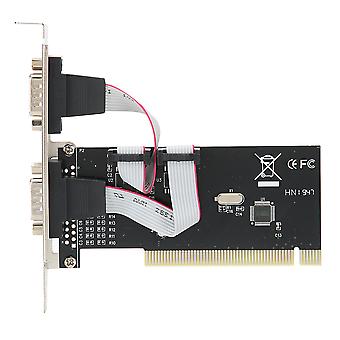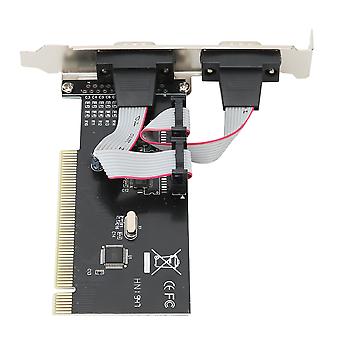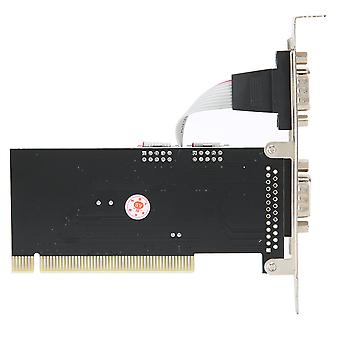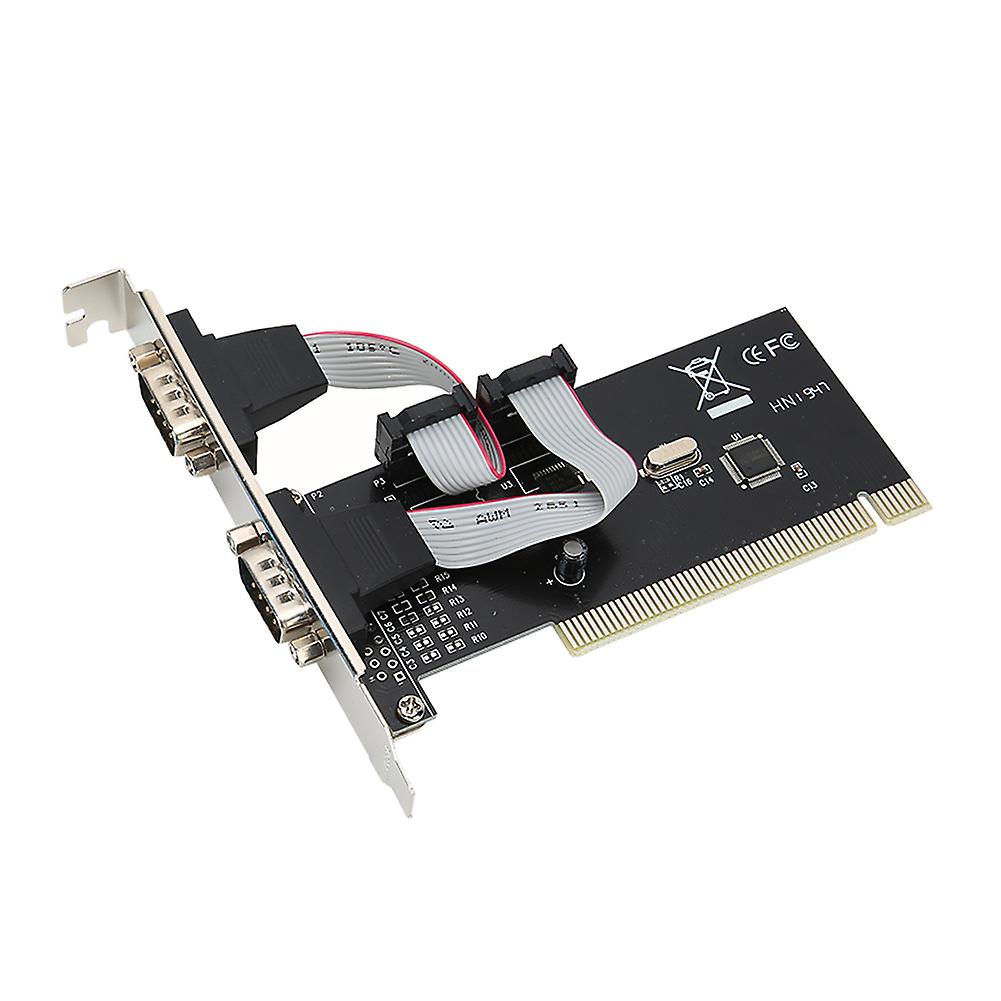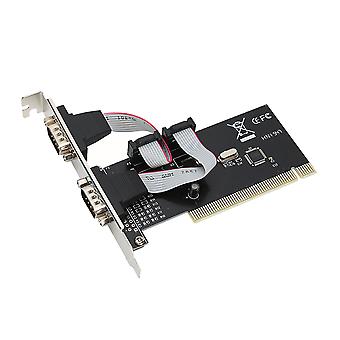
PCI to Dual Serial DB9 RS232 RS‑232 2 Port Extension Adapter Card for Desktops

15,03 €
ILMAINEN toimitus

PCI to Dual Serial DB9 RS232 RS‑232 2 Port Extension Adapter Card for Desktops

  • Merkki: Unbranded
Myynyt:

PCI to Dual Serial DB9 RS232 RS‑232 2 Port Extension Adapter Card for Desktops

  • Merkki: Unbranded

15,03 €

Tallenna 12,03 € (44%)

ovh.

27,06 €
Varastossa
ILMAINEN toimitus

14 päivän palautuskäytäntö

Myynyt:

15,03 €

Tallenna 12,03 € (44%)

ovh.

27,06 €
Varastossa
ILMAINEN toimitus

14 päivän palautuskäytäntö

Hyväksymme seuraavat maksutavat

Kuvaus

PCI to Dual Serial DB9 RS232 RS‑232 2 Port Extension Adapter Card for Desktops

Features 1、Compliant with PCI 2.1 Specification, support 32-bit PCI bus. Plug and play, automatic allocation of IRQ and I / O address. 2、One host can support multiple multi-serial card. Data bit: 4, 5, 6, 7, 8 bytes. 3、Parity bit : NONE EVEN OLD SPACE MARK. Stop bit : 1, 1.5, 2. 4、Flow control: None, hardware, Xon / Xoff. Support WINDOWS 2000/2003 / XP operating system. 5、The maximum data transfer rate is up to 1M / S. RoHS compliant. Specification Features: Compliant with PCI 2.1 Specification, support 32-bit PCI bus. One host can support multiple multi-serial card. Data bit: 4, 5, 6, 7, 8 bytes. Parity bit : NONE EVEN OLD SPACE MARK. Stop bit : 1, 1.5, 2. Flow control: None, hardware, Xon / Xoff. Support WINDOWS 2000/2003 / XP operating system. The maximum data transfer rate is up to 1M / S. RoHS compliant. Specifications: Color: Shown as the pictures Package weight: 110g Instruction: Install a PCI to R232 expansion card on your computer: 1. Turn off the computer and the devices connected to the computer. 2. Open the chassis cover and insert the card into the PCI slot that is not in use and secure it. 3. Close the chassis cover and connect the lead wires of the PCI to R232 expansion card. 4. Start the computer, the next step is driver installation. Driver location: IO-PCI60806A 2S driver on the CD. Install the Windows 2000 / XP driver: 1. Start the Windows system. 2. Windows automatically detects the PCI to R232 expansion card. Click the "Next" button to continue. 3. Select "From list or specify installation (recommended)" and click the "Next" button. 4. Insert the drive CD in the CDROM. Select "Include this location (O) in the search:" and click the "Browse" button to continue the installation. 5. In the WINDOWS folder browsing: a. Select the CDROM drive. b. Double-click the SIE folder. c. Double-click the 60806A folder. d. Click the "OK" button. e. Click the "Next" button. 6. Windows system will automatically find the file in the drive CD, click the "next" button to continue. 7. Click "Finish" to start copying files from the drive CD. 8. The Windows system will automatically refresh the hardware configuration. 9. Windows system reboot, PCI TO RS232 expansion card can be used. 10. After the program is finished, the system will restart automatically to complete the installation of the driver. Package List: 1 x PCI to 2 Serial Port Card 1 x Drive CD Note: 1. When the PCI to R232 expansion card is at self-test in PC, the system will prompt that there is a device. 2. Each PCI to R232 expansion card takes an interrupt, and it is automatically assigned by the system. The port number is determined by the PCI location. 3. In WINDOWS system, if the system does not install other similar products, the port is named generally from COM3, which is related to the motherboard COM port number. 4. In WINDOWS system, if you want to replace with the new card and the new driver, you must delete the original card from the "multi-function card". 5. Strictly prohibit inserting or pulling put the card / connecting cable when power on.
  • Fruugo ID: 354018898-770174568
  • EAN: 9141500056690

Tuoteturvallisuustiedot

Katso tätä tuotetta koskevat tuoteturvallisuustiedot alla

Seuraavat tiedot tarjoaa tätä tuotetta myyvä riippumaton kolmas osapuoli.

Tuoteturvallisuustarrat

CE Mark
Turvallisuusvaroitukset: Please do not allow your child to handle this product alone to avoid swallowing or other injuries; adult supervision is recommended.

Toimitus ja palautukset

Lähetetään 24 tunnin kuluessa

  • STANDARD: ILMAINEN - Toimitus välillä pe 26 joulukuuta 2025–to 01 tammikuuta 2026 - ILMAINEN

Lähetyspaikka: Kiina.

Teemme parhaamme varmistaaksemme, että kaikki tilaamasi tuotteet toimitetaan sinulle toiveidesi mukaisesti. Jos sinulle toimitettu tilaus kuitenkin on puutteellinen tai sisältää tilaamattomia tuotteita, tai jos et jostain muusta syystä ole tyytyväinen tilaukseesi, voit palauttaa tilauksen kokonaan tai osittain. Saat tuotteista täyden hyvityksen. Näytä koko palautuskäytäntö

Tuotteen vaatimustenmukaisuustiedot

Katso tätä tuotetta koskevat yhteensopivuustiedot alla.

Seuraavat tiedot tarjoaa tätä tuotetta myyvä riippumaton kolmas osapuoli.

Valmistaja:
Alla oleva informaatio sisältää Fruugossa myytävän tuotteen valmistajan yhteystiedot.

  • Shenzhen Desheng Network Technology Co., Ltd
  • Shenzhenshi Desheng Wangluo Keji Youxian Gongsi
  • NO,606-23-220,MeinianGuojiGuangChangZhaoshangJiedaoNanHaidadao yixi
  • Meinian International Plaza, Zhaoshang Street
  • Nanshan District
  • Shenzhen
  • CN
  • 518000
  • GoodLuck856@163.com
  • 8613164761511

Vastuuhenkilö EU:ssa:
Alla oleva informaatio sisältää EU:n alueen vastuuhenkilön yhteystiedot. Vastuuhenkilö on EU:n alueella sijaitseva nimetty talouden toimija, joka on vastuussa asianomaisen EU:n alueelle myytävän tuotteen vaatimustenmukaisuudesta.

  • SINO-SEAR GmbH
  • SINO-SEAR GmbH
  • Feuerbachstrasse 11
  • Potsdam
  • DE
  • 14471
  • info@sino-scar.com
  • 4933195130908